

QR-BarCode Generator
Linc CodesQR-BarCode Generator is an Android utility for creating and customizing QR codes and barcodes, including link, contact, Wi-Fi, and product codes. According to its description, it offers live previews, built-in templates, styling controls, and PNG, SVG, and PDF export.
Screenshots
About this app
QR-BarCode Generator is an Android tool for making QR codes and barcodes from text, web addresses, and structured data, then adjusting how those codes look before exporting them. The description positions it as a lightweight utility for people who need to create codes quickly on a phone or tablet. The sections below cover the functions the listing describes and the points it leaves open.
What types of codes can you create?
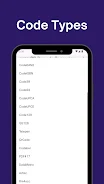
The listing says the app handles several QR variants along with standard barcode formats such as EAN, UPC, and Code128. It names retail and logistics as typical uses, and it mentions inventory tags, event passes, and digital business cards as examples of output. Built-in templates cover Wi-Fi credentials, vCards, SMS messages, and email, which the developer presents as a way to reduce manual formatting mistakes when entering that data.
Which design and export controls are described?
Styling options include changing colors, placing a small logo or center icon, using rounded modules, choosing square or dot patterns, and setting background transparency. The description connects these choices to keeping branding consistent across marketing material. Output settings include resolution and error correction level, which the listing presents as a way to balance code size against scan reliability. Export formats named in the description are PNG, SVG, and PDF. For large printed material, the listing notes that vector output such as SVG can be scaled without pixelation.
How does the generation workflow work?
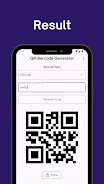
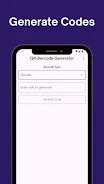
According to the description, the process involves choosing a code type, entering the relevant data, and reviewing a preview that updates in real time. Sliders and dropdown menus control size, margin, and error correction. The developer describes the layout as two columns, with input controls on one side and a live preview on the other. The listing also says the app warns when contrast or size choices could make a code harder to read.
Does the app support batch creation?
The description highlights batch creation as one of the main features. It states that CSV files can be imported, columns can be mapped to data fields, and many codes can be generated in one operation. Naming rules and folder export options are mentioned as ways to fit the output into existing inventory or marketing workflows. The listing does not give limits on the number of codes that can be processed at once.
What does the listing say about data and sharing?
The developer states that data entered in the app stays on the device unless the user chooses to share or upload it. Exported files can be saved to device storage or shared through standard Android sharing options. The description also says that teams can use consistent output settings so that different members produce matching codes. These are developer statements in the listing and have not been independently verified here.
What printing and scanning points does the description raise?
The description includes practical guidance. It suggests using the highest error correction level when a logo is embedded, testing codes with several scanner apps and devices before wide use, leaving a quiet zone around the code when printing, and exporting as SVG for large formats. These points are presented as general advice for better readability and scan performance, not as guarantees.
Version history
View all15 Oct 2026 · stable
Frequently asked questions
Does the supplied information list a minimum Android version?
No. The supplied source data contains a field for the minimum operating system, but it does not provide a readable version value, so no minimum Android version can be confirmed from this information.
Which category is QR-BarCode Generator listed under?
The supplied source data lists the app under the Tools category. The developer is listed as Linc Codes, and the version provided is 0.2.0.