
Timestamp Camera Pro
Timestamp Camera Pro is a photography app for taking photos and recording videos with configurable timestamps and location details. It also provides camera controls, visual styles, timers, preview tools, and post-capture adjustments for organizing and refining media.
Screenshots
About this app
Timestamp Camera Pro is a photography app for capturing photos and videos while adding time, date, location, and other information to the media. Alongside its timestamp tools, it includes camera controls, visual customization, preview options, and editing features for adjusting the appearance of captured content.
Timestamp and location information
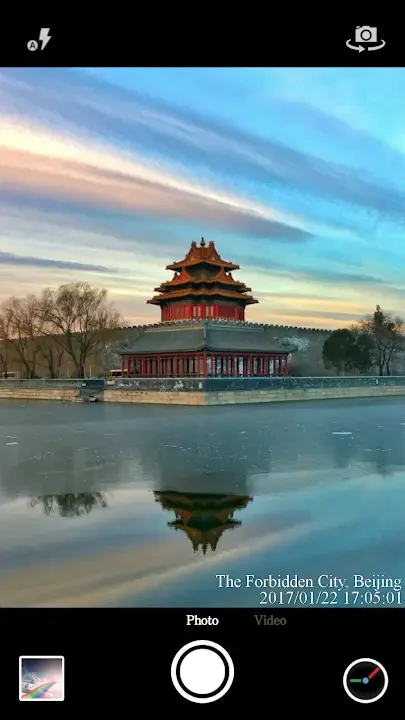
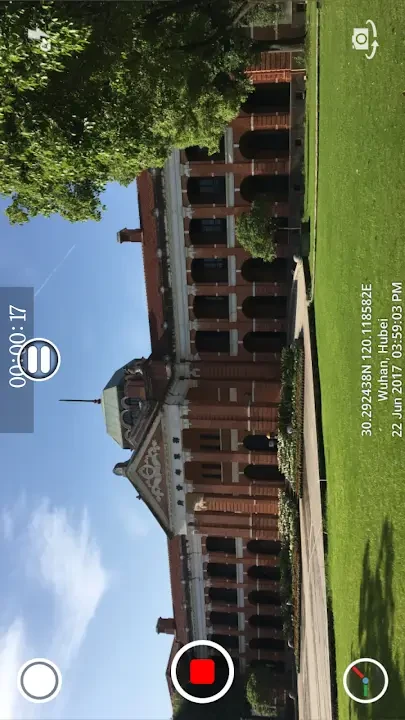
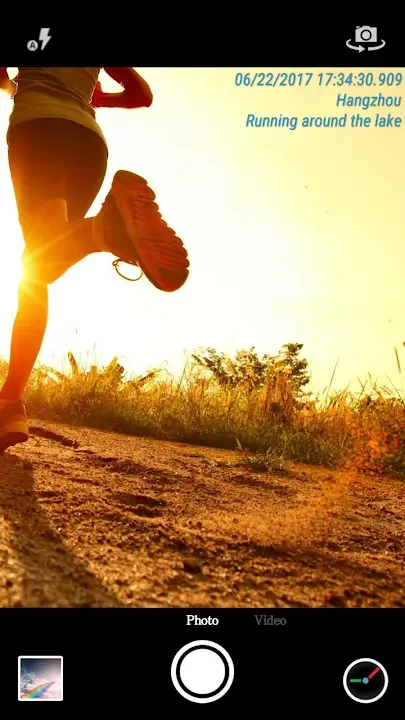
The app can place timestamps on photos and videos so the capture time remains visible within the media. Location details can also be added, including GPS-based information or an address. Users can choose whether to include additional information and can adjust how it appears rather than relying on a fixed overlay.
Timestamp presentation can be customized through the background, font size, font style, font color, position, and size controls. Adjusting these settings before capture helps keep the information visible without covering the main subject. The source also describes support for multiple location formats, giving users different ways to show place information in their media.
Photo and video capture
Timestamp Camera Pro includes a built-in camera for taking pictures and a recorder for creating videos. The source describes controls for changing picture and video quality, as well as a timer that can be used with both photos and videos. A pre-shoot preview is available for checking the composition and overlay placement before capturing.
During video recording, the app can capture selected frames as pictures without stopping the recording. The extracted image keeps the visual style or preset applied to the video, according to the supplied description. This provides a way to save a still image from an active recording while continuing to record.
Styles, filters, and visual controls
The camera provides selectable styles and colors for photographs. Users can switch color filters and photography themes while shooting, and the source describes presets that can alter color and brightness. These controls allow the appearance of photos and videos to be adjusted before or during capture.
Additional controls are available after recording or taking a photo. Post-capture options include adjustments for brightness and color, along with effects for refining the result. The source also describes real-time camera enhancement and video presets that change the appearance of recorded scenes, while noting that these settings can be customized.
Overlay content and settings
In addition to time and location details, users can add text, emoji, and other content to a recording in real time. These elements can be added or removed while recording, and the source indicates that they can also be changed later during editing. Timestamp and overlay options are grouped in the settings area, which contains both basic and advanced controls.
The interface is described as simple enough for people with basic Android knowledge. Core functions can work automatically, while the settings menu provides access to customization choices. The supplied material presents the app as suitable for both still photography and video recording rather than as a timestamp-only tool.
A practical capture workflow
Before taking a photo or recording a video, users can select a style or filter, set the desired picture or video quality, and configure the timestamp position, size, color, and font. They can then use the preview to check the layout before capture. During recording, text or emoji can be added, and important frames can be saved as still images. Afterward, brightness, color, effects, and overlay content can be adjusted through the editing controls.
Version history
View all17 Mar 2026 · stable