

Tixu: Ai Earn App Pearls
abdimultimediaTixu: Ai Earn App Pearls is an educational companion about the structure and behavior of AI-driven earning systems. It combines plain-language modules, diagrams, simulated exercises, progression tracking, study modes, and accessibility options, while remaining informational rather than providing live integrations or financial advice.
Screenshots
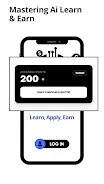



About this app
Tixu: Ai Earn App Pearls is an educational companion that explains how AI-driven earning systems are structured and how they behave in practical scenarios. It presents non-technical overviews, guided walkthroughs, reference material, diagrams, and simulated exercises for users who want to study system design, compare approaches, or explore concepts without connecting to third-party services.
What topics does the app cover?
The learning modules address gateway architecture, the central earning engine, data flow, and practical scaling strategies. Short explanations, annotated diagrams, readable comparison material, and example scenarios show how system components relate to one another. Stepwise walkthroughs help learners trace how inputs affect outcomes and consider trade-offs without requiring technical prerequisites.
How is the learning content structured?
Content is arranged in progressive stages. Orientation material introduces vocabulary and system roles, intermediate sections apply ideas to sample workflows and decision points, and advanced analysis examines scaling considerations, bottlenecks, and risk-awareness techniques. Checkpoints, quizzes, review prompts, and suggested next steps support staged study, while indicators can recommend revisiting earlier material when a learner has a knowledge gap.
Does it use game-like activities?
The app adapts constructive gameplay mechanics for learning instead of presenting traditional game action. Lessons are organized like levels and may include checkpoints, simulated decision points, and optional timed challenges. These challenges use predictable outcomes so learners can test hypotheses, compare choices, and reflect on the results in an instructional setting.
What controls and interactions are available?
The interaction model is designed for touch screens. Users can swipe between sections, tap highlighted terms for in-context definitions, and expand collapsible examples to see step-by-step traces. Practice prompts involve reading, selecting example paths, and completing small answer fields. The source describes no background services or special permissions, and the interface follows familiar mobile navigation conventions.
Can study sessions be customized?
Three study approaches are described: a compact reference mode for quick lookups, a guided walkthrough for linear learning, and a practice mode with scenario questions and annotated solutions. Users can bookmark sections, flag concepts for later review, and expand or collapse worked examples to adjust how much detail is visible. These controls support short refreshers as well as more detailed examination of architectural trade-offs.
What happens when learners repeat exercises?
Modular content and variable scenarios provide opportunities for repeated practice. Checkpoints can be retried with altered parameters, alternative configurations can be compared, and advanced case studies can be revisited to reinforce understanding. The challenge systems are offline simulations that vary inputs and constraints to demonstrate different outcomes. They do not connect to external platforms or maintain player rankings.
Is the app suitable for phones and tablets?
The interface is described as optimized for both phones and tablets, with consistent layouts, clear navigation cues, and immediate access to definitions. Visual presentation uses diagrams, flowcharts, simple iconography, captions, and callouts to explain components and data flow without decorative clutter. Adjustable text size, high-contrast themes, and screen-reader-friendly labels are included among the accessibility features.
Can it be used without a constant internet connection?
After modules are downloaded, the app works offline for study sessions. Local storage indicates when public updates are available, helping learners know that newer information may exist elsewhere. The offline simulations and reference material therefore remain separate from live services or external platform connections.
What are the app's practical limitations?
Tixu: Ai Earn App Pearls is presented as an independent instructional resource rather than an operational earning product. It does not provide live integrations, financial advice, or guarantees about outcomes. Its material is aggregated from public and documented sources for learning and comparison, so operational details should be checked with the original vendors before decisions are made. The app is also described as non-affiliated with any official developer or service.
Version history
View all15 Oct 2026 · stable
Frequently asked questions
What version of Tixu: Ai Earn App Pearls is listed in the source?
The supplied listing identifies version 1.0.1.
What category is assigned to the app?
The supplied listing places it in the Productivity category.