
AudioLab APK
AudioLab APK brings together tools for trimming, combining, mixing, recording, and converting audio. It also supports ringtone creation, several audio formats, and MP4-to-MP3 conversion.
Screenshots
About this app
AudioLab APK is an Android audio editor for working with recordings and music, from making precise cuts to creating ringtones. Its listed tools cover editing, mixing, merging, recording, sound adjustment, and file conversion, so it can address several common audio tasks in one app.
What can you do with its audio editing tools?
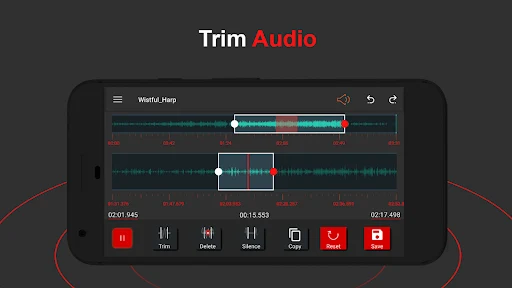
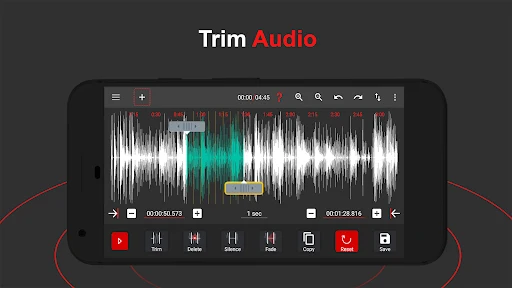
The editing features include trimming, clipping, and cropping audio, as well as copying and pasting sections. Users can also add silence and apply fade-in or fade-out effects. The description specifies millisecond-level editing precision for making adjustments to audio segments. These controls are relevant when removing unwanted portions, preparing a shorter clip, or shaping the start and end of a track.
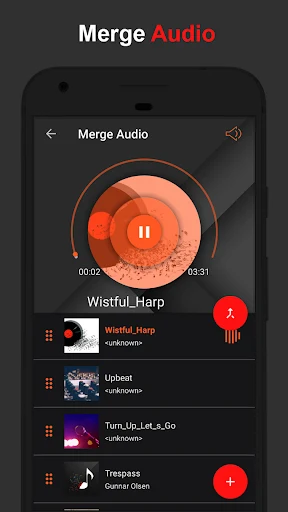
The Audio Cutter is described as a way to select and remove parts of an audio file. This can be used to prepare a segment for a ringtone or shorten a podcast episode. The app also lists merging, which combines multiple audio files into one, and mixing, which can bring together voiceovers and background music or blend songs.
Can it combine and adjust multiple sounds?
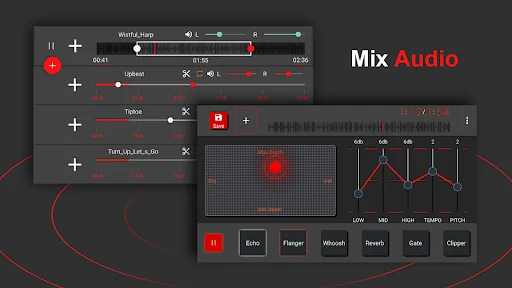
AudioLab includes a mixer for combining sounds into a new track. The description says it can mix four types of sounds at the same time, and mentions changing pitch or rhythm as part of the mixing controls. These functions may suit users who want to put a voice recording alongside music or combine tracks, rather than only make cuts to a single file.
For other sound adjustments, the listed tools include an equalizer, effects, Noise Suppressor, Automatic Gain, and Skip Silence. The description also refers to noise reduction during recording. These are distinct from the basic cut-and-merge operations: they concern adjusting or processing sound, while the editing tools change which audio sections are present and how they are arranged.
Which formats and conversion tasks are supported?
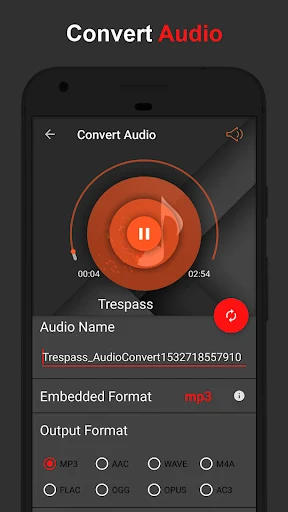
The listed audio formats are MP3, WAV, FLAC, M4A, AAC, and OGG. AudioLab includes an audio converter for changing audio files between formats. The description specifically identifies conversion from MP4 video to MP3 audio and says multiple videos can be converted in a batch. This makes the conversion tools relevant when preparing supported files in a different format or extracting audio from video.
The source also describes exporting edited audio. It does not specify detailed export settings, such as selectable bitrates or sample rates, so those controls should not be assumed from the format list alone. The supported formats provide a useful indication of the kinds of files the app is described as handling, but do not establish compatibility with every file or device.
Does AudioLab include recording?
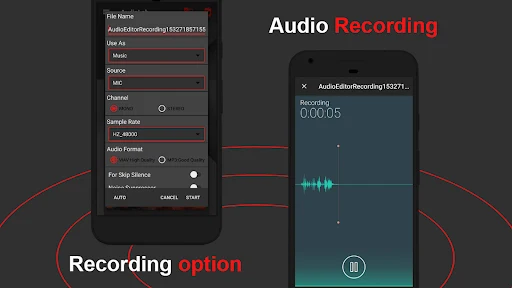
Yes. The app lists an audio recorder for capturing voice or other sounds. Noise reduction is also mentioned for recordings, alongside the separate Noise Suppressor tool. The description does not specify recording formats, microphone controls, or recording limits, so those details cannot be established from the available information.
Recording may be useful for capturing a voice track that can then be edited or mixed with other audio. The app’s listed editing and mixing features provide ways to work with recordings, but the description does not set out a particular recording workflow or promise a specific recording result.
Can you make a ringtone or notification sound?
AudioLab is described as a ringtone maker. Its audio-cutting tools can be used to select a portion of a song, and the description says a finished clip can be set as a ringtone or notification sound. That use case brings together selection and trimming with the app’s stated ringtone function.
The source also mentions sound effects and equalizer tools for adjusting audio. These can be considered alongside the editing controls when preparing a personalized clip. No specific ringtone duration, device-setting steps, or supported notification options are provided, so those particulars should not be assumed.
What kind of interface is described?
The app is described as presenting its main tools through icons on the home screen, with a black-and-red visual theme. The source characterizes the controls as accessible to beginners while also listing more advanced options such as mixing and sound adjustment. These are descriptions of the interface and feature range; they do not establish that every task has the same level of complexity.
Overall, the listed functions cover several defined needs: trimming and combining audio, mixing tracks, recording sounds, adjusting audio, converting files, and preparing ringtones. The description identifies AudioLab as an Android app but does not provide a minimum Android version or detailed device requirements.
Version history
View all10 Jul 2025 · stable
Frequently asked questions
What version of AudioLab APK is listed?
The supplied product information lists version 1.3.8.