

CORDIJING Fast VPN
WongCilikCORDIJING Fast VPN is a VPN app for browsing, streaming, and downloading through selectable server locations. Its interface is designed for straightforward use, while split tunneling lets users choose which apps or websites use the VPN connection.
Screenshots
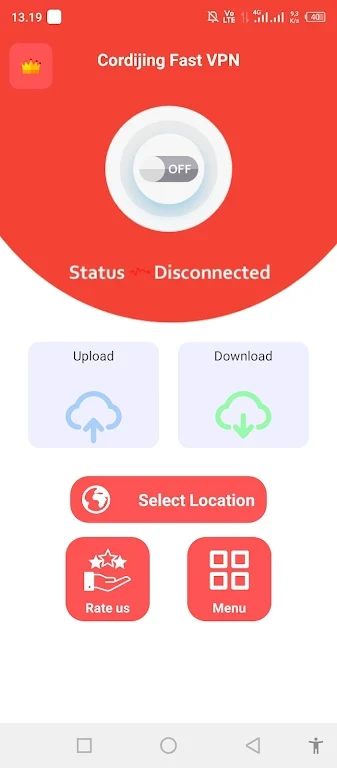
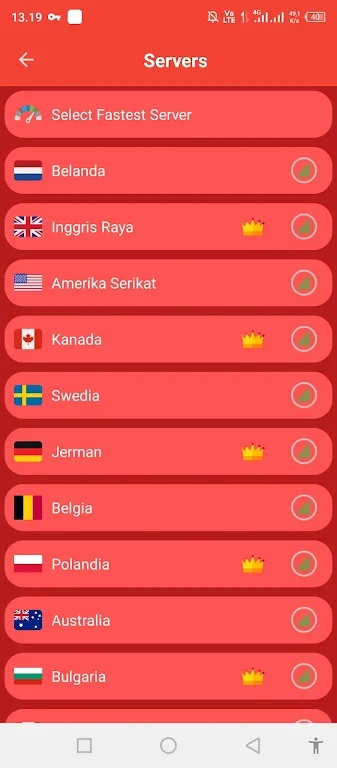
About this app
CORDIJING Fast VPN is designed for people who want to browse, stream content, or download files through a selectable VPN server. The app describes its connection as using encryption technology and provides a simple interface intended to be approachable for users with different levels of technical experience.
Choosing a server for everyday browsing
When the immediate task is general internet access, users can select from server locations in different parts of the world. The app recommends choosing a location near the user's physical location to help minimize latency and support browsing speed. This gives the connection setup a practical starting point instead of requiring users to rely on a single preset location.
The server list also supports situations where a user needs to connect through another country. According to the supplied description, changing locations can help users access international content and region-restricted online services. The result depends on the selected server and the service being accessed; the app presents server choice as the control for exploring different regional connections.
Using the connection for online activity
CORDIJING Fast VPN is presented for several common online tasks, including opening websites, streaming content, and downloading files. Its description states that the app uses advanced encryption technology to help protect online activity while connected. These are stated app capabilities rather than independent verification of privacy or security performance.
The app also describes its core features as available without charges and says that it provides unlimited bandwidth. This description is relevant for users who want to browse, stream, or download without a stated subscription requirement, although the supplied material does not provide separate pricing or plan details.
Routing selected apps or websites
For a more selective setup, the split tunneling feature allows users to choose particular apps or websites to route through the VPN. Other applications can access the internet directly. This arrangement is intended for cases where a user wants selected traffic to use the VPN while still accessing local services through the regular connection.
Because the routing choices are user-selected, split tunneling is a configuration option rather than an automatic decision about which services should use the VPN. Together with the server list and simple interface, it gives users separate controls for location selection and traffic selection.
Getting started with the interface
The app emphasizes a user-friendly environment that beginners can navigate without advanced technical knowledge. A typical setup described by the source is to choose a server, connect for the required browsing activity, and adjust the selected apps or websites when split tunneling is needed. The supplied information does not specify additional device requirements beyond identifying the product as an Android app.
Version history
View all24 Jul 2024 · stable
Frequently asked questions
Can selected apps or websites bypass the VPN connection?
Yes. Split tunneling allows selected apps or websites to use the VPN while other applications access the internet directly.
How can users choose a server location?
Users can select from the available server locations. The app description suggests trying a nearby server to help minimize latency or exploring other countries for international and region-restricted content.