
Muscle and Bone Anatomy 3D
Real BodyworkMuscle and Bone Anatomy 3D is an interactive Android anatomy reference for exploring the skeletal and muscular systems through rotatable, zoomable, and layered 3D models. It also provides search, quizzes, flashcards, annotations, bookmarks, cross-sectional views, and clinical notes for study and presentation use.
Screenshots
About this app
Muscle and Bone Anatomy 3D is an interactive anatomy reference focused on studying the skeletal system, musculature, and the relationships between bones, muscles, tendons, and ligaments. Its labeled 3D models and study tools are aimed at students, clinicians, fitness professionals, instructors, and anyone reviewing musculoskeletal anatomy.
What anatomical content can you explore?
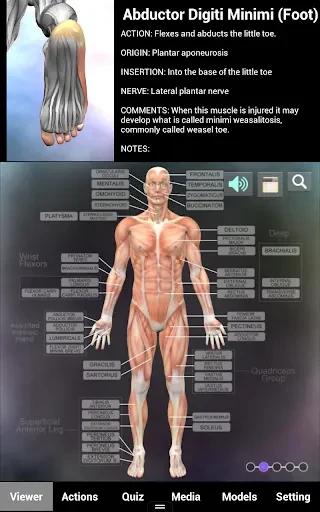
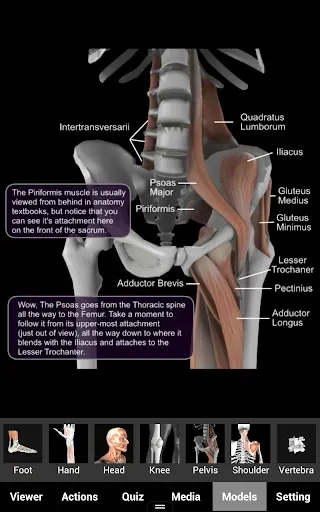
The app presents detailed models of musculoskeletal structures with labels and searchable entries. Users can examine individual bones or muscle groups, reveal or hide connective tissues, and review origin and insertion points. Search support includes synonyms and common clinical terms, which can help locate structures using different terminology.
How can the 3D models be examined?
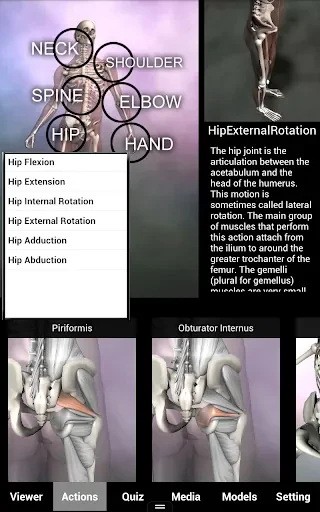
Models can be rotated, zoomed, and dissected in real time to provide views from multiple angles. Layer controls support isolation of structures, while transparency and cross-sectional views offer additional ways to examine spatial relationships. These perspectives can be useful when reviewing joints, surface landmarks, and deeper anatomy without relying on a single view.
Which tools support active study?
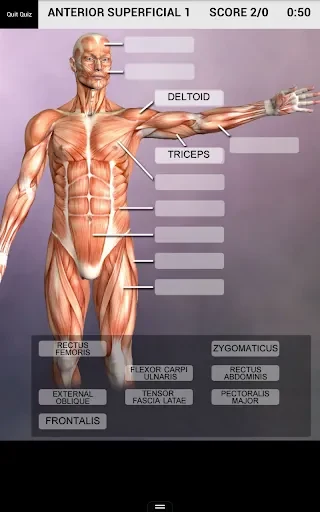
Muscle and Bone Anatomy 3D includes quiz modes, flashcards, customizable study sets, timed labeling exercises, and randomized identification drills. Notes and bookmarks allow learners to mark difficult regions for later review, and a progress tracker is included for monitoring study activity over time. These functions support both structured revision and repeated practice.
Can the app be used for teaching or explanations?
The app includes annotations, highlighted structures, text labels, custom color-coding, screenshots, and annotated exports. These features can support classroom demonstrations, lesson materials, remote learning, and explanations of anatomy to clients or patients. Custom model playlists are also available for assembling a sequence of models for a lesson or presentation.
Does it include clinical context?
Anatomical entries include clinical notes connecting structures with function, common injuries, and biomechanics. Cross-sectional and transparency views are described as useful for examining joint mechanics and relationships relevant to physical therapy and rehabilitation. The app can therefore serve as a visual reference alongside study or professional discussions, rather than as a replacement for formal clinical resources.
What controls and device options are documented?
The interface uses pinch-to-zoom, swipe rotation, taps for information panels, and contextual menus for switching labels, transparency, and cross-sectional views. The source describes the app as optimized for modern Android devices and able to work across different screen sizes and hardware configurations. Texture-detail and rendering options are available to help adjust visual performance on older devices, although no specific Android version requirements are provided.
Can models be accessed without a continuous connection?
The supplied description states that downloaded models can be accessed offline, so continuous internet access is not required for those downloaded models. Screenshots and annotations can also be prepared for study guides, lessons, or sharing, while PDF-friendly annotations support document-based teaching materials.
Version history
View all14 Oct 2026 · stable
Frequently asked questions
Who is listed as the developer of Muscle and Bone Anatomy 3D?
The listed developer is Real Bodywork.
What version is listed for the app?
The supplied source lists version 1.2.1.
What category is associated with the app?
The supplied directory data places it in the Lifestyle category.