

Musica Yandel Ay Mi Dios
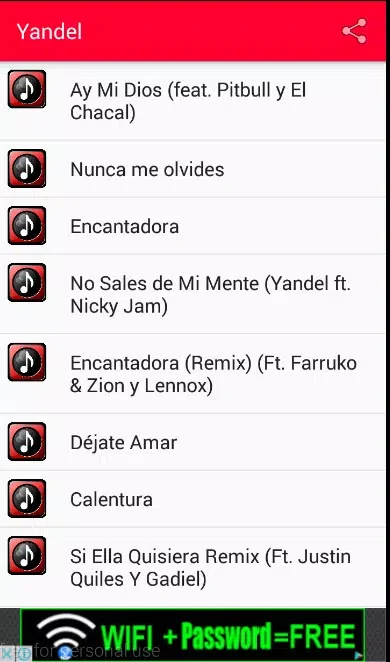
galigatoMusica Yandel Ay Mi Dios brings Yandel’s songs, lyrics, album information, and career context into one searchable interface. It supports track discovery, lyric reading, playback controls, favorites, local playlists, and browsing across albums, singles, and collaborations.
Screenshots


About this app
Musica Yandel Ay Mi Dios gives listeners a focused way to explore Yandel’s catalog when they want songs, lyrics, and artist context in one place. Searchable tracks, album groupings, lyric pages, and a career timeline connect listening with information about solo releases, collaborations, and the artist’s progression.
Finding songs and reading lyrics
When you are looking for a particular track or lyric, the app provides text search across song titles and lyrics. This makes it possible to look up tracks such as Quién contra mí or find a specific line without moving between multiple sources. Search results can lead directly into a listening session, while the full-lyrics view presents the text in a dedicated reading layout.
Each song entry includes basic metadata such as its album, release year, and featured artists where applicable. Lyrics can be expanded on screen, and adjustable text size gives you control over how the words are displayed. These tools are useful for following a song, practicing lyrics, or checking information about a release while listening.
Exploring albums and Yandel’s career
For listeners who prefer to browse rather than search, the library groups material into albums, singles, and notable collaborations. Albums such as De líder a leyenda and Dangerous can be viewed as part of a compact discography, with groupings arranged chronologically to show movement across different periods of Yandel’s work.
A short artist biography and timeline add career context alongside the music. The timeline highlights major releases, while curated highlights can point listeners toward notable material and lesser-known singles. Together, these sections support both familiar listening and a more structured look at how the catalog developed over time.
Controlling a listening session
The playback interface uses standard controls for starting and managing music. Play, pause, forward and back skipping, and an adjustable seek bar let you move through a track or return to a particular section. Repeat and shuffle options provide additional ways to arrange a listening session.
You can begin playback from a search result or continue from an album view. Touch gestures support moving between sections, and tapping to expand the lyrics keeps the reading view close to the playback experience. The app also lets you save favorite songs to a local list, making frequently revisited tracks easier to access.
Keeping a personal library
The library includes a recent-played history and a favorites collection, allowing you to see what you have listened to and return to selected songs. Local playlists and a favorites queue provide ways to organize music around your own listening preferences rather than relying on an external recommendation service.
This structure also supports a personal sense of progression through the discography. Instead of using levels or other game-style systems, the app records listening activity and arranges the catalog so you can continue through albums, singles, and collaborations at your own pace.
Adjusting readability and browsing offline
Readability options include adjustable lyric text size, light and dark themes, and compact or detailed list views. These choices help adapt the presentation to different browsing preferences, from dense library navigation to a more spacious view for reading lyrics. The app also supports common screen readers and provides clear visual contrast choices for users with visual impairments.
Recently opened lyric pages and basic song metadata can be cached for offline reading when a network connection is unreliable. This allows you to revisit selected lyrics and album information without an active connection. Streaming full audio tracks requires internet access or the device’s native audio caching policies, so the offline support described here applies to cached reading and metadata rather than guaranteed full offline playback.
Version history
View all14 Oct 2026 · stable