

Phonto
Phonto is an Android photo-editing tool focused on placing text over images. It provides a straightforward workspace for choosing fonts, adjusting text appearance and position, adding effects, and saving finished images as JPG or PNG files.
Screenshots


About this app
Phonto is a simple Android photo-editing tool for adding text to images stored on your device. Rather than offering a broad set of image-manipulation functions, it concentrates on text overlays and provides controls for changing how captions, labels, announcements, or other written elements appear on a photo.
Add and position text
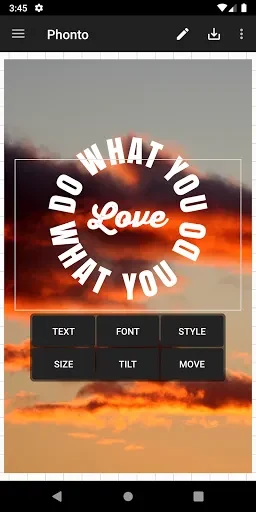
After selecting an image, you can insert text and adjust its placement directly on the editing screen. The text box can be moved and resized, while rotation controls let you change its angle. Phonto also supports placing text along a curve or using a perspective-style presentation, giving you more control than a basic horizontal caption.
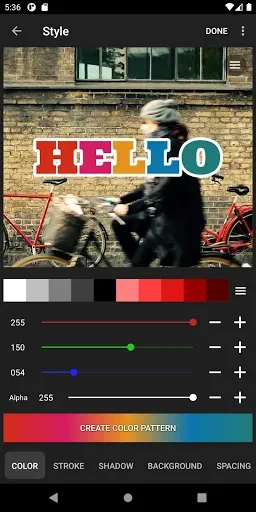
Text formatting includes changes to size, color, gradient, letter spacing, and line spacing. You can also alter the background color behind the text and remove selected parts of the text when a partial or stylized result is needed. These controls are presented as direct editing options, so the main workflow is to choose a text element, modify it, and view the result on the image.
Fonts and text effects
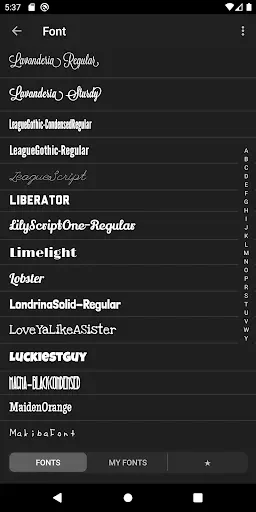
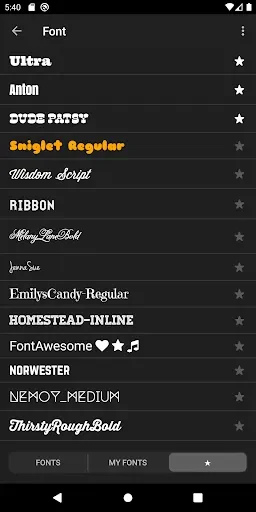
The app includes a large selection of fonts, with the source describing more than 200 built-in choices and another reference to more than 400 available typefaces. Because those figures conflict, the total is best understood as a broad built-in font collection rather than a precise count. You can also download additional font files and install them in Phonto when the included styles do not suit a project.
Further styling options include text stroke, shadow, blur, and background treatment. These effects can be used to change the visual separation between the lettering and the image. Font color, size, spacing, and shadow settings can be adjusted independently, allowing the same wording to be presented in a decorative or more restrained style.
Images, shapes, and backgrounds
Phonto supports more than placing text directly over a photograph. The source lists shapes such as balloons, rectangles, stars, and hearts that can be used as part of the composition. You can also change the background picture and work with simple images as well as photos, making the editor suitable for basic graphic compositions as well as captions on camera images.
The app is intended for uses such as adding a note or milestone to a picture, preparing an image with a status line, or creating a banner-style visual. It can also be used for image posts prepared for social media, including Facebook, Twitter, and Instagram. These examples describe the types of text-based image work supported by the available editing controls rather than a separate social publishing system.
Saving the finished image
When the text and image adjustments are complete, the result can be saved to the device as a JPG or PNG file. The source also describes sharing the completed image on social platforms. A typical workflow is to select an image, add and format one or more text elements, refine their position and effects, then save or share the finished composition.
Phonto keeps its scope focused on typography for images. It does not present the broad range of editing tools found in full image-manipulation applications, but its available controls cover font selection, custom font installation, positioning, spacing, color, effects, shapes, and export formats for text-oriented edits.
Version history
View all08 Jul 2025 · stable