

Thunder VPN Android
Thunder VPN Android provides VPN servers in different countries and supports quick connection without registration or manual configuration. It is described as working with Wi-Fi, 5G, LTE/4G, 3G, and other mobile data carriers on Android 5.0 and later.
Screenshots
About this app
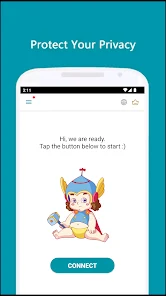
Thunder VPN Android provides access to VPN servers in different countries and for different purposes when you need to connect through a VPN on an Android device. Its main screen is designed around a simple start button, allowing the connection process to begin without registration or complicated configuration.
Connecting without a complicated setup
The app is intended for users who want a straightforward way to start or stop a VPN connection. The documented interface includes quick connect and disconnect controls, and the connection can be started by pressing the Start button on the lower part of the main screen. The description also states that no registration, configuration, or additional permissions are required.
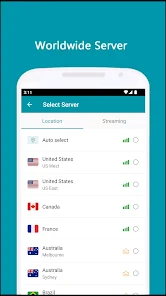
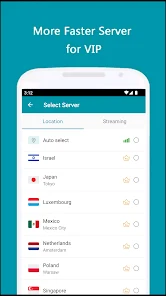
Server selection can be handled manually by choosing from servers associated with different countries and purposes. When you do not know which server to select, the Smart choose server function can select one automatically. This gives the app two documented approaches: choosing a location yourself or using automatic selection to avoid making that choice manually.
Using the connection across supported networks
Thunder VPN Android is described as supporting Wi-Fi, 5G, LTE/4G, 3G, and all mobile data carriers. This makes its stated use relevant when the device changes between wireless and mobile connections, although the source does not specify how the app behaves during a network transition. Android 5.0 or later is required according to the supplied feature information.
The source also describes the app as offering a choice of apps that use the VPN. This is a distinct control for users who want to select which applications use the VPN connection rather than treating app selection as part of the general server-selection process.
Browsing with the stated privacy features
The application description presents encrypted internet connections as a way to protect online activity from third parties and describes browsing through the VPN as more private than a regular connection. It also lists a strict no-logging policy and says that no additional permissions are required. These are stated product policies and privacy claims from the supplied description.
For users who want to browse without securing the complete device, the source says the app can be used for anonymous browsing. It also mentions that the application has a small size, a user-oriented interface, and a limited number of advertisements, without providing further technical measurements.
Choosing servers for entertainment and games
Thunder VPN Android includes the described option to explore servers in different countries for region-restricted content or browsing-speed purposes. The source specifically recommends entertainment-optimized servers for streaming platforms, with the stated aim of reducing buffering. Server choice therefore has a separate role from the automatic connection option: users can select a purpose-oriented server when they want to control that choice themselves.
For gaming, the description mentions free Steam acceleration and dedicated line acceleration. It connects these functions with the app's network node resources and the goal of stable gaming sessions. The source also claims that patented network optimization technology improves network stability by more than 70%; this is a product claim rather than an independently verified measurement.
Bandwidth and usage details
The supplied feature list describes a large number of servers and high-speed bandwidth, as well as no usage or time limit. It also presents the interface as lightweight and the application as small in size. Together, these details describe the intended experience, but the source does not provide independent speed tests, server counts, or measurements of application size.
Version history
View all18 Feb 2025 · stable
Frequently asked questions
Which Android versions are supported?
Android 5.0 and later are required according to the supplied feature information.
Which network connections does Thunder VPN Android support?
The source lists Wi-Fi, 5G, LTE/4G, 3G, and all mobile data carriers.
Does the app require registration or manual configuration?
The supplied description says that no registration or configuration is required.