

360 Dash Cam
奇虎360360 Dash Cam turns an Android phone into a dash camera that records driving video in continuous loops, flags sudden motion as protected events, and can back up selected clips to cloud storage. It is aimed at everyday drivers and rideshare professionals who want straightforward recording controls.
Screenshots
About this app
360 Dash Cam is an Android dash camera app developed by 奇虎360. Its core purpose is to record driving video on a phone, keep footage of important moments, and let users review or export saved clips. The app is described for commuters, delivery drivers, and rideshare operators.
Continuous loop recording and event protection
Loop recording automatically overwrites older footage so local storage remains in use without manual deletion, while events marked as important are kept. G-sensor event detection flags sudden motion or impacts and protects the related footage from accidental deletion. The source suggests setting G-sensor sensitivity to a medium level to reduce saves triggered by minor bumps.
Recording quality and storage management
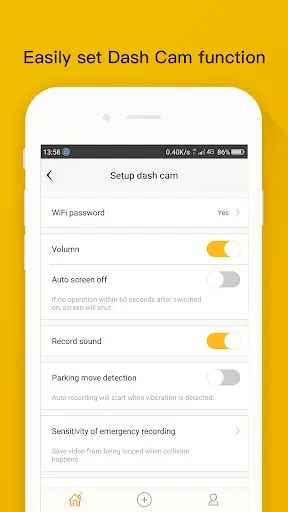
Users can set recording quality and segment length to suit their storage limits. The source recommends 1080p as a balance between clarity and file size, and segments of 1 to 3 minutes to limit data loss risk. Files are typically saved in short segments, which the source links to a lower risk of corruption and easier playback. Auto-start can begin recording when the vehicle moves, and the source advises checking storage thresholds regularly.
GPS overlays, night mode, and parking mode
Speed and location overlays provide context for recorded trips and incidents, and these overlays depend on enabling GPS for telemetry. Night mode is described as improving low-light footage. Parking mode uses motion-triggered recording to capture events while the vehicle is parked.
Interface and setup requirements
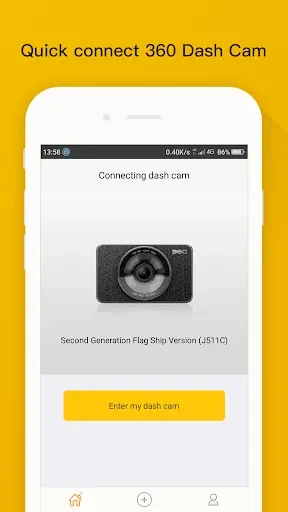
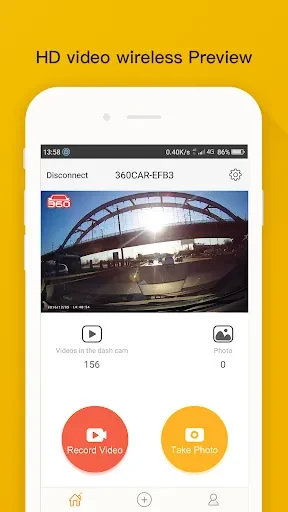
The interface uses large buttons and clear labels, and it includes a real-time preview, status indicators for recording and storage, and quick-access buttons for saving or sharing clips. Setup involves mounting the phone securely, granting camera and storage permissions, enabling GPS if telemetry is needed, and adjusting recording quality. The source recommends a constant power source for continuous use.
Browsing, playback, and export
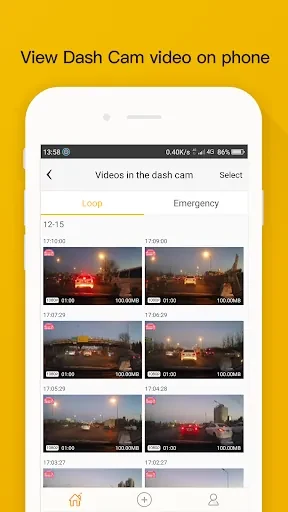
An internal browser lets users look through clips by date, location, or event type, and clips can be played back on the device. To export, users select a clip and choose a share destination. The source states that exported videos use common formats compatible with desktop players and editing tools. It also notes that time-stamped video with a GPS overlay can help present information in insurance or fleet management contexts, although it does not establish how such footage is accepted in any specific setting.
Cloud backup and privacy controls
Cloud backup is an optional way to store essential clips off the device, which the source describes as useful for remote access or long-term archives. Privacy controls let users limit cloud access or turn off uploads entirely. The source suggests configuring cloud sync only for flagged events to limit mobile data use. For sensitive footage, it recommends local encryption and password-protected archives, and it advises setting clear rules for data retention and sharing when several drivers use the same device.
Version history
View all14 Oct 2026 · stable
Frequently asked questions
Is cloud backup required to use 360 Dash Cam?
No. The source describes cloud backup as an optional feature, and users can disable uploads entirely through the app's privacy controls.
What video formats can exported clips use?
The source says exported videos are in common formats that are compatible with desktop video players and editing tools.