

Car Horn
Car Horn is an Android utility with a compact collection of vehicle horn sounds, from short beeps to air horn blasts, played through large on-screen controls. Its listing describes uses such as alerts, demonstrations, and video production.
Screenshots
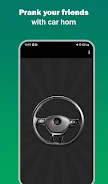

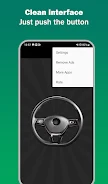
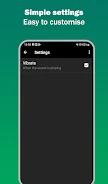
About this app
Car Horn is an Android utility that brings a compact set of vehicle horn sounds to a phone or tablet. Its main task is playing single tones or short sequences through large, quick-access controls, and the listing presents it for alerts, demonstrations, and similar signaling needs.
What kinds of horn sounds are included?
The listing describes a range of tones, from classic automobile beeps to full air horn blasts and novelty sounds. Sounds are placed on prominent, clearly labeled buttons so a chosen tone can be found quickly. The description calls the library realistic and names drivers, event staff, video creators, and workshop teams as the people the tool is intended to serve.
How do the playback controls work?
Playback is designed to reduce accidental activation. A single tap plays a tone, while pressing and holding the control keeps a sustained sound going for as long as the finger stays on it. An option in the settings can enable looping for continuous playback. The listing also says a short vibration can be paired with any horn for haptic feedback, and that home-screen widgets can keep frequently used horns available without opening the full interface.
Can the layout and default selections be changed?
The app allows the interface to be adjusted to a routine. Buttons can be rearranged so the most-used tones sit where they are easiest to reach, a default horn can be set to load when the app opens, and each tone can use a short or sustained duration. According to the description, the chosen layout and default selection persist between sessions.
What does the listing say about device support and offline use?
The description says the app is built to run efficiently on a range of Android phones and tablets. Its sound library is stored locally, which the listing connects with offline operation and quick startup. It also states that higher-quality audio output is used when a device supports it, and that the app avoids constant background activity to keep battery impact low. The listing does not state a minimum Android version, so compatibility with a specific device should be checked before relying on the app.
Where might the app be used?
The listing mentions signaling during loading or unloading operations, drawing attention in busy work areas, and adding road ambiance to short videos. For larger spaces, the description suggests connecting the device to a portable speaker through Bluetooth or an auxiliary cable. Placing the most-used horn on the home screen is presented as a way to simplify repeated signaling tasks.
Accessibility and responsible use
The interface uses large, well-spaced buttons and high-contrast icons, which the description says remain readable in bright outdoor conditions. Haptic confirmation can be enabled for users who prefer tactile feedback when a tone begins. Because horn sounds can be startling, the app includes volume controls and short-duration settings. The listing also encourages users to follow local noise regulations and reasonable etiquette when playing the tones.
Version history
View all15 Oct 2026 · stable
Frequently asked questions
Under which category is Car Horn listed, and which version does the listing describe?
The listing places Car Horn in the Tools category and describes version 1.05.