

Samsung Good Lock
Samsung Good Lock is a modular customization utility for Samsung smartphones and tablets. It provides separate tools for adjusting lock screens, Always On Display clocks, navigation controls, the Quick Panel, One UI Home, and selected device behaviors.
Screenshots
About this app
Samsung Good Lock is a modular utility for customizing supported Samsung smartphones and tablets. Its main purpose is to let users select separate interface tools and adjust visible parts of One UI, including the lock screen, Always On Display, navigation bar, status area, Quick Panel, and home experience.
Lock screen and Always On Display controls
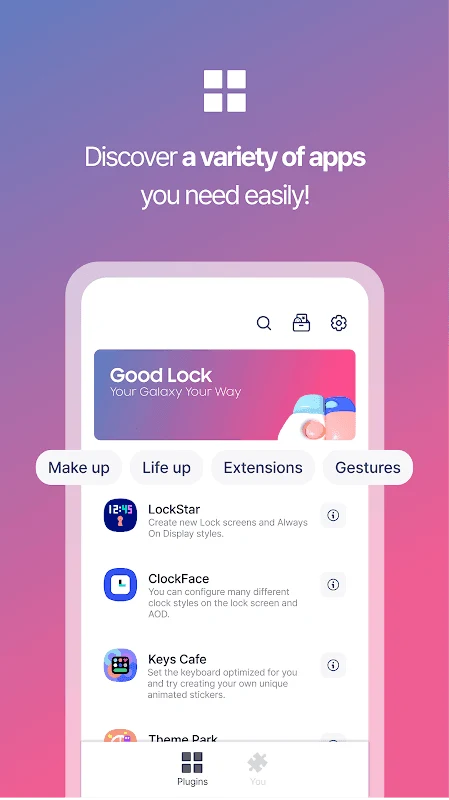
LockStar focuses on creating new lock screen and Always On Display styles. The supplied information describes options for changing layouts, repositioning elements, and adding widgets, so users can decide how information is arranged before the device is unlocked. This module works alongside ClockFace, which provides different clock designs for the lock screen and Always On Display.
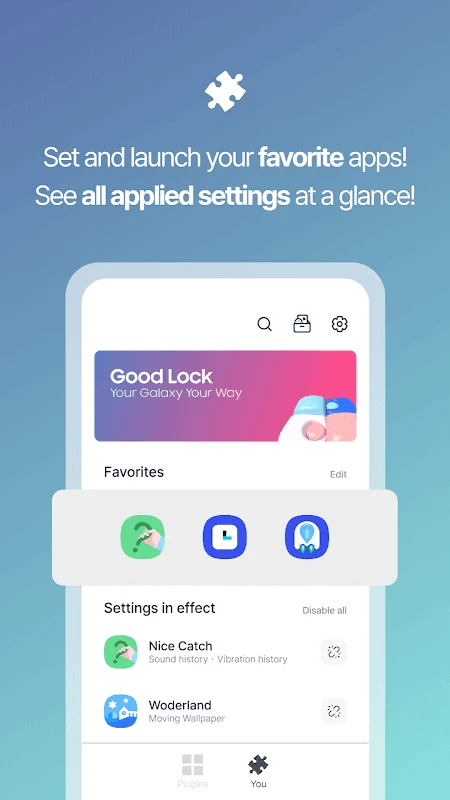
ClockFace includes both digital and analog-style choices, ranging from simpler displays to more detailed designs. Wonderland supports another type of visual adjustment by creating backgrounds that move in response to how the device moves. Together, these modules cover the main visual surfaces users see when checking or waking the device.
Navigation and everyday interface layout
NavStar provides controls for the navigation bar. Documented options include organizing navigation buttons, adjusting swipe gestures, and changing button presentation with different icons or colors. These controls concern the arrangement and appearance of navigation actions rather than the content of individual applications.
QuickStar is intended for the upper interface area. It lets users organize the top bar and Quick Panel, while the broader customization tools also address the status bar and notification shade. Home Up supports changes related to the One UI Home experience, grouping home-screen adjustments with the other interface controls.
Additional modules and selective installation
Good Lock uses modules that operate alongside One UI. Users can choose the individual modules relevant to their needs instead of treating every available tool as one mandatory package. The source lists Camera Assistant as a module with Auto HDR and Lens Switching options, and identifies Dropship as a tool for creating shareable links for content.
The supplied information also describes additional controls for multitasking, audio settings, and custom routines. These are presented as ways to manage multiple applications, adjust sound for different apps or situations, and set device behaviors around specified conditions. The source does not provide a complete list of the available settings for these areas, so their exact controls may depend on the applicable module and device.
Device support
Samsung Good Lock is intended for Samsung devices, including smartphones and tablets, but the source states that not every model is supported. Compatibility should therefore be checked for the specific Samsung device before relying on a particular module. The listed version is 3.0.14.2.
Version history
View all11 May 2026 · stable
Frequently asked questions
Can every Samsung phone or tablet use all Good Lock modules?
No. The supplied information says that Samsung Good Lock is compatible with Samsung devices but that not all models are supported, so model-specific compatibility should be checked.